Dachly
A personal dashboard page with background images.
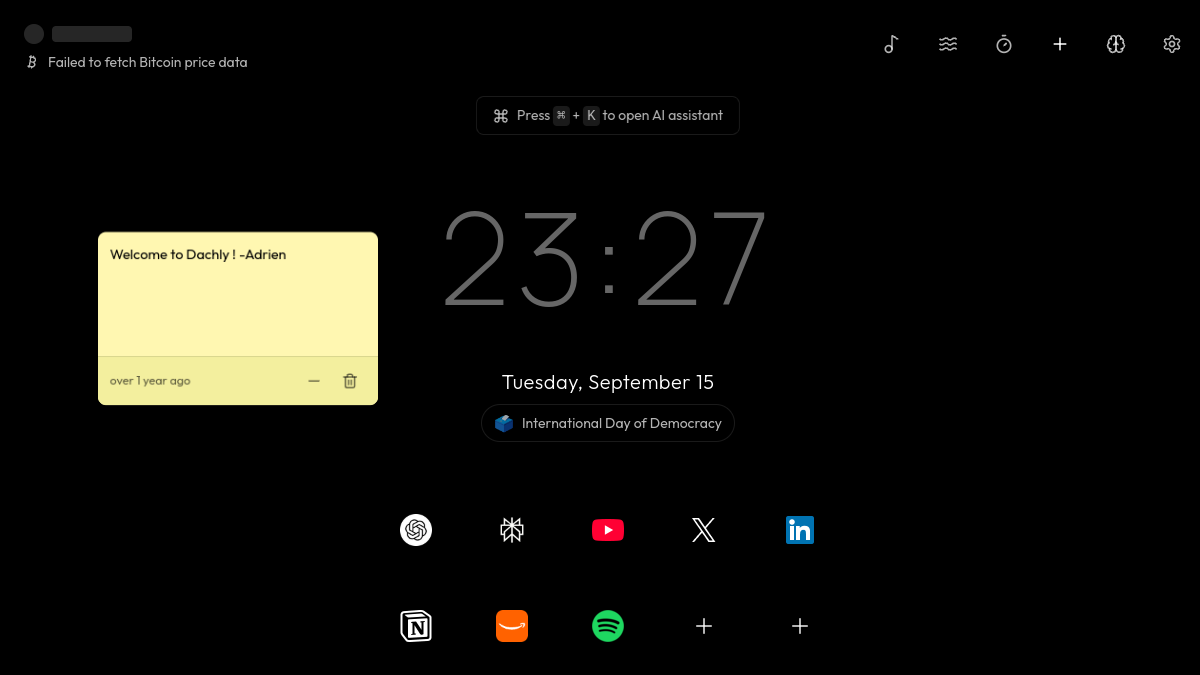
About
Dachly is a personal dashboard you open in your browser. It displays your dashboard over background images. The source text does not list further details about what the dashboard shows.
How to use
Dachly runs in your browser, so getting started means opening dachly.com. There is nothing to download and no installer to run.
Once the page loads, you see your dashboard displayed over background images. That is the core of what the Dachly productivity app does: it gives you a single page to look at rather than a blank tab. The source text does not describe what individual elements the dashboard shows, so treat the page itself as the thing you are trying out.
If you like what you see, you can keep the page open in a tab or set it as the page your browser opens on. Because it is a web page, you return to it the same way each time, by visiting the same address.
The listing does not mention setup steps, imported data, or configuration options, so the most reliable way to find out whether it fits how you work is to open it and spend a few minutes with it.
- Built with
- Bolt
- Price
- Free
- This week
- 0 opens
- Published
- Sep 15, 2026
FAQ
Is Dachly free?
The listing does not say what Dachly costs. Visit dachly.com to see any pricing shown there.
Do I need an account?
The source text does not mention accounts or sign-in. You would find out when you open the site.
Does it work on phones?
This is not stated. Dachly is a browser page, so it should load on a mobile browser, but the listing does not say how it is laid out on smaller screens.
What was it built with?
Dachly was built with Bolt.
What exactly does the dashboard show?
The listing says it displays your dashboard over background images and does not list further details about the content shown.
Made with Bolt
Dachly is a productivity tool built with Bolt. It is listed on AppShelf and waiting for its maker to claim it. Browse more apps and games built with Bolt.